Bridging the Gap: Mastering Cue Programming for Flawless Technical Execution
Transform your tech week with precise cue programming. Learn how to bridge the gap between creative vision and technical execution for seamless shows.
· By CueCall Team
Topics: Theatre Production, Cue Programming, QLab, Stage Management, Technical Design, Seamless Execution, Production Efficiency
The lights dim, the first notes swell, and a collective hush falls over the audience. In that perfect moment, every element of a theatre production — the actors’ performances, the set’s grandeur, the costumes’ flair, and crucially, the precise timing of light and sound — converges into a singular, unforgettable experience. This isn't magic; it’s the result of meticulous planning, endless rehearsals, and, perhaps most unsung, the intricate art of mastering cue programming. For every breathtaking visual transition or impactful audio cue, there’s a technical wizard behind the scenes, often a stage manager, sound designer, or lighting designer, translating artistic vision into a flawless sequence of commands. But what happens when the bridge between artistic intent and technical execution becomes a manual, time-consuming, and error-prone chore? That’s where the true challenge, and the greatest opportunity for modernizing theatre production, lies.
The Unseen Ballet: The Critical Role of Cue Programming
In the world of theatre, the technical cues are the pulse of the show. They dictate when the stage bathes in moonlight, when a character's whisper is amplified, or when a sudden blackout shifts the emotional landscape. These aren't just arbitrary triggers; they are carefully orchestrated moments that enhance storytelling and immerse the audience. From the subtle fade of a house light to the complex interplay of sound effects, music, and dozens of lighting states, every single cue must be precisely timed and executed.
For stage managers, the cue sheet is a sacred text. For sound and lighting designers, it’s the blueprint for their creations. But translating that detailed blueprint into a functional system like QLab, the industry-standard software for show control, can often feel like building a skyscraper brick by painstaking brick. You’ve painstakingly documented every detail: cue numbers, descriptions, triggers, timings, specific levels, and effects. Yet, when it comes to inputting these hundreds, sometimes thousands, of individual commands into QLab, the reality often diverges sharply from the ideal.
Imagine the scene: it’s tech week. Your creative team has finally locked down the last few transitions. The stage manager has updated their cue script with the final timings. Now, your sound designer or technical director faces the daunting task of manually entering every single one of those changes into QLab. You're working against the clock, fueled by lukewarm coffee and the adrenaline of opening night looming. Each entry is a potential point of error: a wrong level, a missed fade time, an incorrect cue number. It’s a tedious, often isolating process that devours precious technical rehearsal time – time that should be spent finessing the artistic impact of each cue, not on data entry.
The High Stakes of Manual Cue Entry
The manual translation of cue sheets into QLab isn’t just a minor inconvenience; it carries significant risks and imposes substantial burdens on your production team. Let’s break down why this traditional approach can be a major bottleneck for even the most well-oiled theatre companies, from professional touring groups to academic departments and passionate community theatre ensembles.
Time Drain and Resource Exhaustion
- Hours of Repetitive Work: Manually typing cue numbers, descriptions, target times, pre-waits, post-waits, and specific commands for hundreds of cues is incredibly time-consuming. This isn't creative work; it's data entry, and it takes away from the valuable time your designers and technical staff could be using for more impactful tasks like fine-tuning sounds, balancing light levels, or experimenting with visual effects.
- Late Nights and Burnout: During tech week, when everyone is already stretched thin, adding hours of manual QLab programming to the designers' plates often means pushing well into the night. This leads to exhaustion, reduced focus, and a higher likelihood of errors, creating a vicious cycle of re-work.
The Peril of Human Error
- Typos and Misinterpretations: Even the most detail-oriented individual can make a typo, misread a timing, or misunderstand a designer’s shorthand during a long programming session. A "Fade Out 3s" becoming "Fade Out 30s" can be a show-stopping mistake.
- Inconsistent Execution: Without a standardized, automated process, minor inconsistencies can creep into the QLab file. Different naming conventions, varied approaches to fade curves, or slight timing discrepancies can lead to a less polished final product.
- The "Who Changed What?" Nightmare: When multiple people touch the QLab file or when cue sheets undergo rapid revisions, tracking which change corresponds to which entry, and ensuring consistency across all documentation, becomes a logistical nightmare.
Communication Breakdown and Artistic Compromise
- Discrepancies Between Documentation: Your stage manager’s script might have the latest cue timings, but if those aren't accurately reflected in the QLab file, you've got a problem. This disconnect can lead to calls not matching effects, confusion in the booth, and frustrating delays during rehearsals.
- Reduced Finesse Time: When too much time is spent on basic data entry, there's less opportunity to truly finesse the artistic elements of your design. Instead of perfecting that subtle soundscape or that dramatic light shift, designers are rushing to get the basic cues in, potentially compromising the overall artistic vision.
- Stress Multiplier: For everyone involved – the stage manager relying on precise calls, the designers striving for their vision, and the director aiming for a seamless production – the pressure of manual cue entry amplifies the already high-stress environment of tech week.
Sound Design: More Than Just Playback
For sound designers, QLab is an incredibly powerful tool, but its power comes with complexity. A single sound cue might involve multiple tracks, complex fades, specific output routing, loop points, and intricate level adjustments. Manually configuring each of these parameters for hundreds of cues is a monumental task. The risk of one wrong crossfade or an unintended burst of static is always present, impacting the audience's immersion and the overall production quality.
Lighting Design: Painting with Light and Time
Similarly, lighting designers use QLab to orchestrate an entire stage picture. This means not just turning lights on and off, but carefully crafting fades, color shifts, gobos, moving lights, and special effects, all timed to the millisecond. Imagine manually inputting 50 parameters for 100 lighting cues. The sheer volume of data entry can be overwhelming, leading to oversights that can dull the brilliance of an otherwise stunning design.
Bridging the Divide: Solutions for Seamless Cue Programming
The good news is that modern theatre production doesn't have to be shackled by these manual inefficiencies. Just as digital tools have revolutionized other industries, they are now offering powerful solutions to streamline the technical backbone of live performance. The key lies in bridging the divide between creative documentation and technical execution through smarter, more integrated workflows. Here's how to move towards a more efficient and accurate cue programming process:
1. Standardized Cue Documentation: The Foundation of Precision
Before you can automate, you must organize. The absolute first step towards seamless cue programming is establishing a clear, consistent, and comprehensive system for documenting all your cues. This isn't just about listing cue numbers; it's about capturing every critical piece of information in a structured way that makes it easy to translate into software commands. This includes:
- Unique Cue Numbers: Consistent numbering (e.g., L1, S1.5, V2).
- Clear Descriptions: A concise explanation of what the cue does.
- Trigger Type: Manual GO, Auto-follow, Time-out.
- Timing: Pre-wait, post-wait, fade times for lights and sound.
- Specific Parameters: For sound: track names, levels, outputs. For lights: fixture groups, color palettes, intensities, gobo selection.
- Rehearsal Notes: Any specific instructions or nuances from the director or designers.
While the act of creating these cue sheets might have been covered in other discussions, understanding that this detailed, structured data is the prerequisite for any automation is vital. Think of it as creating a common language that both humans and software can understand.
2. Digital Integration: Moving Beyond Disconnected Workflows
The days of paper cue sheets and isolated spreadsheets are rapidly giving way to integrated digital platforms. The true power emerges when your cue documentation isn't just digital, but part of a larger, interconnected system. This means:
- Centralized Data: All cue information resides in a single, accessible location. No more hunting for the "latest version" in various email threads or shared drives.
- Version Control: Track every change, who made it, and when, eliminating confusion and facilitating easy rollbacks if needed.
- Real-time Updates: As changes are made during rehearsals, everyone with access sees them instantly, ensuring all team members are working from the most current information.
3. Automated QLab Generation: The Game Changer
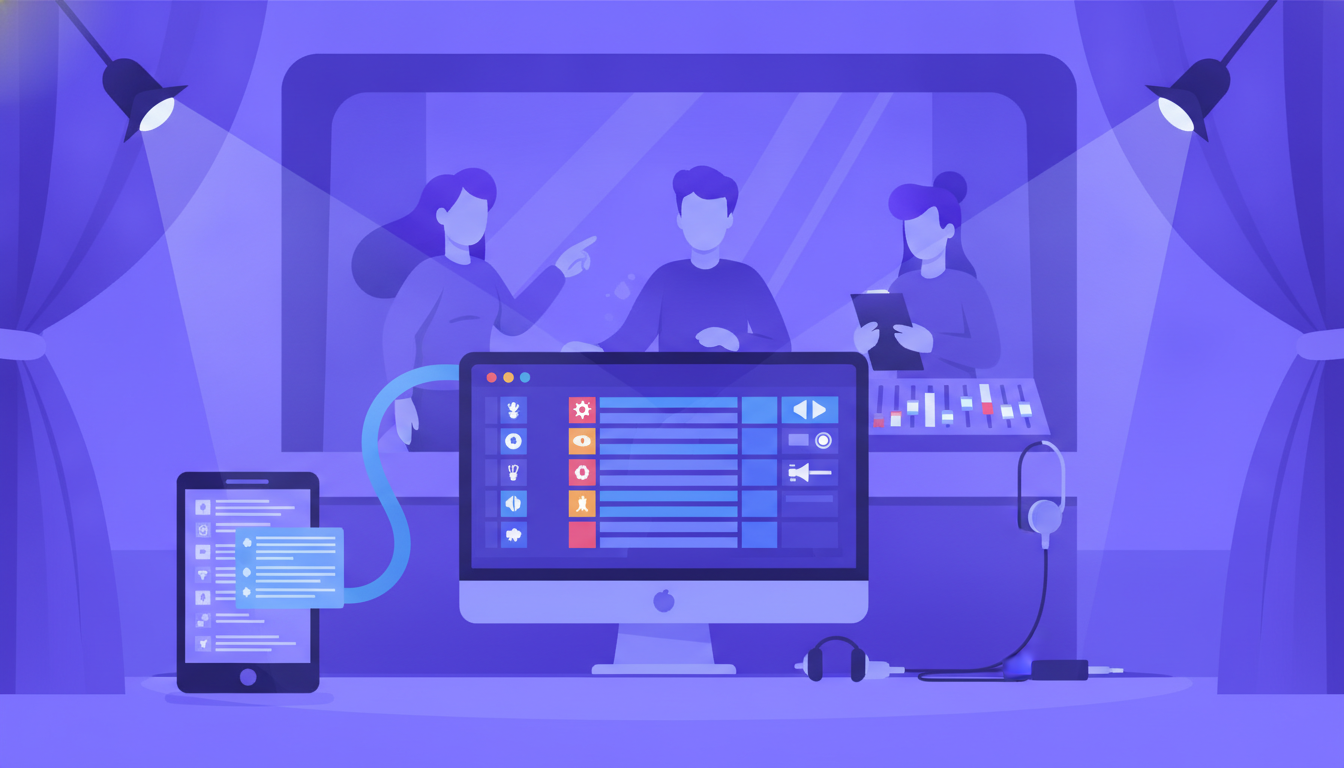
This is where the magic truly happens – the ability to take your meticulously documented, centralized cue data and automatically convert it into a QLab workspace. Imagine bypassing hours of manual data entry, dramatically reducing errors, and freeing up your technical team to focus on the artistic nuances of their craft. This process typically involves:
- Structured Data Export: The production management platform extracts all relevant cue information in a format QLab can understand (e.g., CSV, XML, or a proprietary file type).
- Direct QLab Import/Generation: This data is then used to either generate a new QLab workspace file or populate an existing one with all the corresponding cues, complete with their assigned actions, timings, and notes.
The benefits of automated QLab generation are profound:
- Unprecedented Time Savings: What once took days of manual input can now be accomplished in minutes, reclaiming valuable tech week time.
- Near-Perfect Accuracy: By eliminating manual transcription, you drastically reduce the potential for human error, ensuring your QLab file precisely matches your approved cue sheet.
- Enhanced Consistency: Automated generation applies standardized parameters consistently across all cues, leading to a more polished and professional sound and light design.
- Rapid Iteration: Changes to the cue sheet can be quickly reflected in QLab with minimal effort, allowing for greater flexibility and responsiveness during the creative process.
- Reduced Stress and Burnout: Your technical team can breathe easier, knowing the foundational programming is handled, allowing them to focus on the artistry and problem-solving that truly requires their expertise.
Practical Steps to Elevate Your Cue Programming Workflow
Implementing these solutions might seem like a significant shift, but with a structured approach, your team can transition to a more efficient and less stressful workflow. Here are actionable steps to get you started:
1. Audit Your Current Workflow
Begin by mapping out exactly how cues are currently documented, communicated, and programmed. Identify bottlenecks, common errors, and areas where manual effort is excessively high. Speak to your stage managers, sound designers, and lighting designers about their pain points.
2. Invest in a Centralized Production Management Platform
Look for a platform that not only helps you manage your entire production – from scenes and inventory to scheduling and communication – but also specifically offers robust cue sheet management and, crucially, the ability to integrate with or generate files for show control software like QLab. This is the lynchpin for truly seamless cue programming.
3. Standardize Your Cue Terminology and Data Entry
Before implementing any new system, ensure your team agrees on a consistent language for all cue-related information. This means consistent naming conventions for audio files, lighting presets, and precise descriptions for every cue. The more standardized your input, the more accurate and efficient your automated output will be.
4. Train Your Team on the New System
Change can be challenging, but with proper training and clear communication, your team will quickly see the benefits. Conduct workshops, provide documentation, and encourage early adoption. Emphasize how the new tools will free them from tedious tasks, allowing them to focus on their creative strengths.5. Integrate Gradually and Iterate
You don't have to overhaul everything overnight. Start with one production or one specific aspect of cue programming (e.g., just sound cues) and gather feedback. Refine your processes based on real-world experience, making adjustments as needed. The goal is continuous improvement.
The Future of Technical Execution: Empowering Your Production Team
Imagine a tech week where your sound and lighting designers spend less time typing and more time perfecting. Where the transition from a stage manager's precise call to a QLab trigger is a seamless click, not a keyboard marathon. This isn't a futuristic dream; it's the present reality made possible by integrated production management tools.
By embracing solutions that automate the bridge between your meticulously planned cue sheets and their technical execution in QLab, you unlock a new level of efficiency and artistic precision. Your team gains back invaluable time, reduces the potential for costly errors, and can dedicate their extraordinary talents to finessing the magic of the performance, rather than wrestling with data entry.
Platforms designed for modern theatre production management, like CueCall, are built to address these very challenges. By centralizing your production data – including your intricate cue sheets – and offering advanced functionalities such as direct QLab generation, they aim to streamline your technical workflow from conceptualization to execution. This isn't about replacing human artistry; it's about empowering your team to focus their brilliant minds on the creative nuances, letting the technology handle the tedious, repetitive tasks.
The goal is to create an environment where every technical cue lands perfectly, supporting the narrative and enhancing the audience's experience without the underlying stress and frantic manual effort. Explore how integrating a comprehensive production management platform could transform your next show, giving you back precious time and peace of mind, from first rehearsal to final bow. The precision of your programming directly contributes to the power of your performance, and with the right tools, that precision is within easier reach than ever before.