Collaborators & Role-Based Access in CueCall
Invite the production team and each role sees a view of the same data suited to their job, with contact details, budget and measurements gated separately.
Transcript
This video shows how to manage collaborators and role-based access in CueCall. Here, you see the production team and cast, with their assigned roles and login status.
You can easily invite production members directly from your roster. Each joins with their existing role, receiving an email to sign in and begin collaborating.
Roles come with default permissions, but you can grant additional access, like budget details, separately. This ensures only authorized personnel see sensitive information.
As a cast member, you see a tailored view of the production. You get access to essential schedules and content relevant to your role.
The People tab shows team members and their roles, but contact details like phone and email are not visible to cast. This protects personal information.
Similarly, you only see notes where you are tagged, ensuring clarity and avoiding unnecessary information. CueCall simplifies production management for every role.
Learn more
- Collaborators & Role-Based Access — Invite the production team and each role sees a view of the same data suited to their job, with contact details, budget and measurements gated separately.
- Welcome to CueCall: Collaboration — Invite your production team to collaborate on shows. Each team member gets appropriate access based on their role.
- Managing Shows: Role Permissions — Each role has specific permissions controlling what they can see and do within a show. The table below is CueCall's default access matrix — these rules are enforced by the server, not just hidden in…
- Welcome to CueCall: Dashboard — Your dashboard shows a comprehensive overview of all your productions with widgets for schedules, assignments, tasks, and more.
- Dashboard: Customize your dashboard — Click Customize in the top-right of the Dashboard to:
- Tips & Tricks: Dashboard — Your dashboard shows a unified view of all your productions and assignments.
More videos
 Tasks & Delegation in CueCall — Production to-dos assigned to one or several people, delegated down, and tracked on each person's dashboard.
 Production Calendar in CueCall — A rehearsal and performance calendar with recurring events, scene links and subscription feeds the team can add to their own calendars.
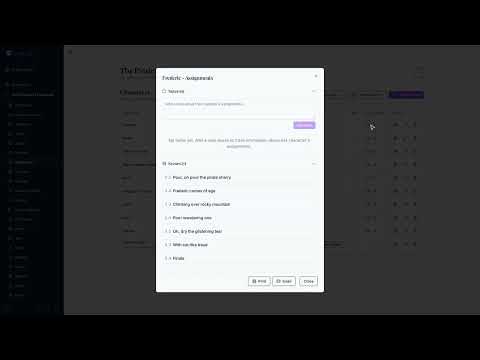 Characters & Ensemble Tracks in CueCall — A character list with actor assignment, ensemble tracks, per-character inventory and mic assignments, plus exports.
 Scene Breakdown & Readiness in CueCall — Scenes are the hub that links people, inventory, notes and files, with a readiness status tracked per discipline.
 Department-Tagged Notes in CueCall — Notes tagged by department and attached to scenes, people, files or inventory, searchable across the whole show.
 Budgets & Expenses in CueCall — Budget lines and recorded expenses with receipts, where who can see or spend against the budget is granted person by person.
 People Roster & Profiles in CueCall — Cast and crew records with headshots, documents, contact details and show assignments, including merging duplicates.
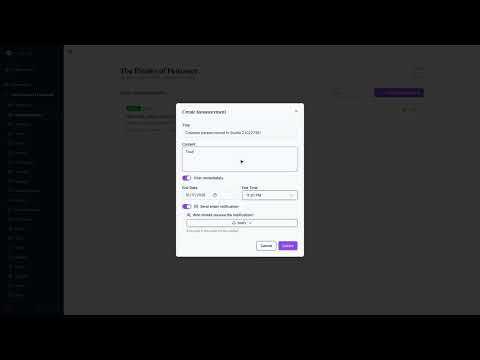 Announcements in CueCall — Announcements sent to the production team, in the app and by email, targeted at the people who need them.
 Reports & Exports in CueCall — Excel and PDF exports of characters, mic plots, slideshows and show reports, for the people who still want paper in the room.
 Costume Measurements in CueCall — Measurements kept on each person's record, visible only to the people whose role grants it — everyone always sees their own.
 Organizations (Company Accounts) in CueCall — A company workspace with its own shows, roster, shared inventory pool, company documents and member roles.
 Signup Sheets in CueCall — Public signup sheets for volunteers, concessions, food and set-build calls, shared by link with no account needed.
 Auditions & Casting in CueCall — A public audition signup link, registrant materials and media, audition sessions, callbacks, and cast offers with acceptances tracked.
 Stage Blocking & Scene Visuals in CueCall — Blocking recorded against a scene alongside backdrop images and reference videos.
 Rehearsal Reports in CueCall — Rehearsal reports drafted automatically from the day's notes and timeline, reviewed by the stage manager, then published and emailed to the team.
 Inventory & Ownership Tracking in CueCall — Costumes, props and set pieces catalogued with photos, categories, QR codes and owned/rented/borrowed status plus rental history.
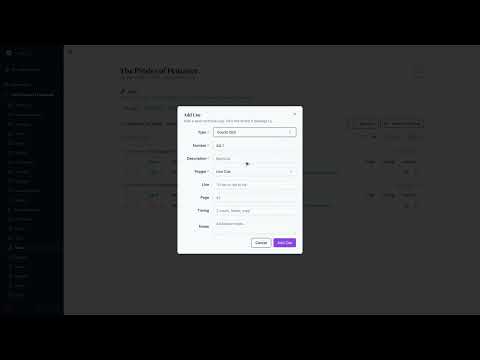 Tech Cues in CueCall — Light, sound, deck and other cues recorded against scenes, with a master cue view and filtering by type.
 Mic Plot & Wireless Assignments in CueCall — A mic plot generated from character and scene data, adjusted by hand in a grid, and exported or imported.
 Rental Marketplace in CueCall — Listing and renting costumes, props and set pieces between theatre companies, with the booking flowing back into inventory and the budget.
 Sound & Music in CueCall — Songs and sound effects attached to scenes, with audio playback, accompaniment and rehearsal tracks, sheet music, character assignment and per-song notes.
 Script Viewer, Notes & Cues in CueCall — The script uploaded and read in-app, with notes and cues pinned to specific pages, page overlays, versions, and page insert/replace.
 Costume Slideshows in CueCall — Costume and design slideshows built from inventory items and your own images, presented fullscreen, exported, or shared by public link.
 Getting Started: Your First Production in CueCall — The dashboard you land on, creating a production, and finding your way around its Overview and menu.
 Production Files & Vision Boards in CueCall — Production files with categories, scene links, versions, restricted audiences, in-app PDF and audio playback, and vision boards.
 Character Looks in CueCall — Per-character looks assembled from inventory and images, assigned across the scenes where they are worn.
 Smart Import & Bulk Import in CueCall — Existing spreadsheets, folders of files and documents read in and mapped onto shows, people and inventory, so a season already recorded elsewhere does not have to be retyped.
 AI Assistance & Credits in CueCall — AI help across the app — look and inventory image generation, song and schedule extraction, import assistance — paid for with prepaid credits or run on your own API key.
Try CueCall
Your first two shows are free for a full year each, with every feature and unlimited users. Pricing is per show, not per user.